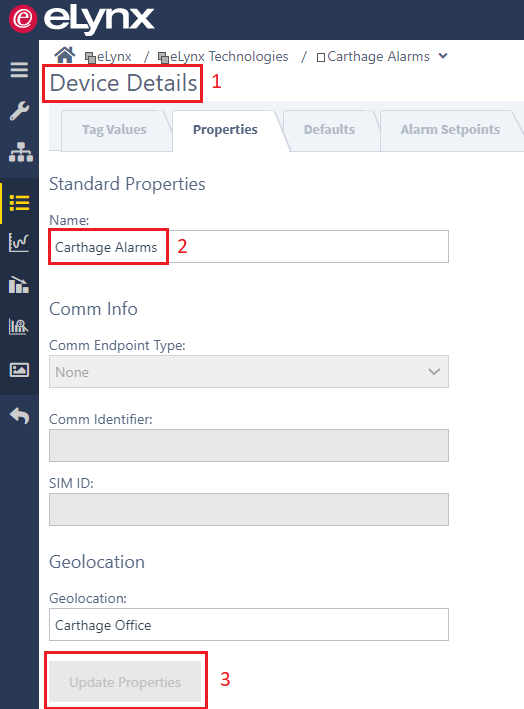
Change Device Name Ross Lickteig May 03, 2021 18:32 Updated Follow To change a Device Name: Go to the Device Details page, Properties Tab. Enter the new name in the "Name" field. Click the "Update Properties" button to Save your Changes. Related articles Device Details Manage Mobile App Access Comments 0 comments Please sign in to leave a comment.

Comments
0 comments
Please sign in to leave a comment.